PagerDuty Notifications
PagerDuty notifications allow for alerts to be sent to an PagerDuty account, usually as part of an organisations standard call out and alerting system.
EndPoint Monitor allows for multiple integrations with PagerDuty allowing for complete flexibility of how alerts and callouts are configured for each group of checks.
Setup
- Once logged into PagerDuty, click Services along the top menu options.
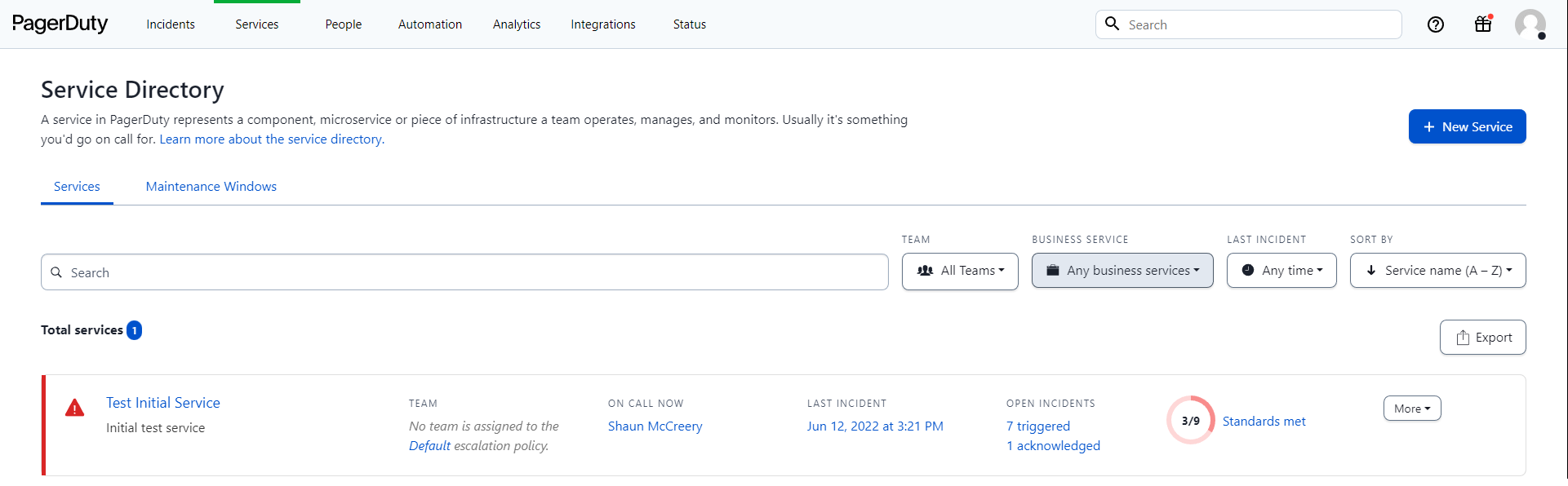
- Select an applicable existing service or create a new service that EndPoint Monitor notifications will be associated
to.
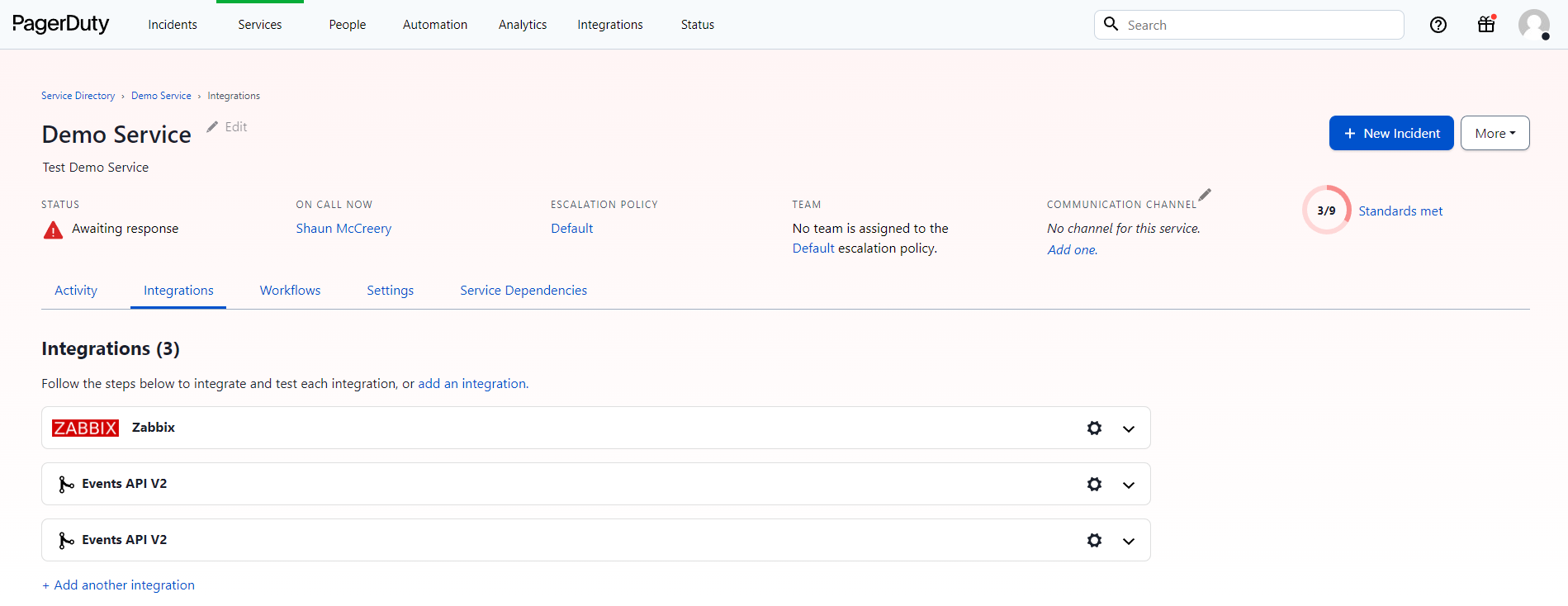
- Click + Add an Integration or + Add another integration.
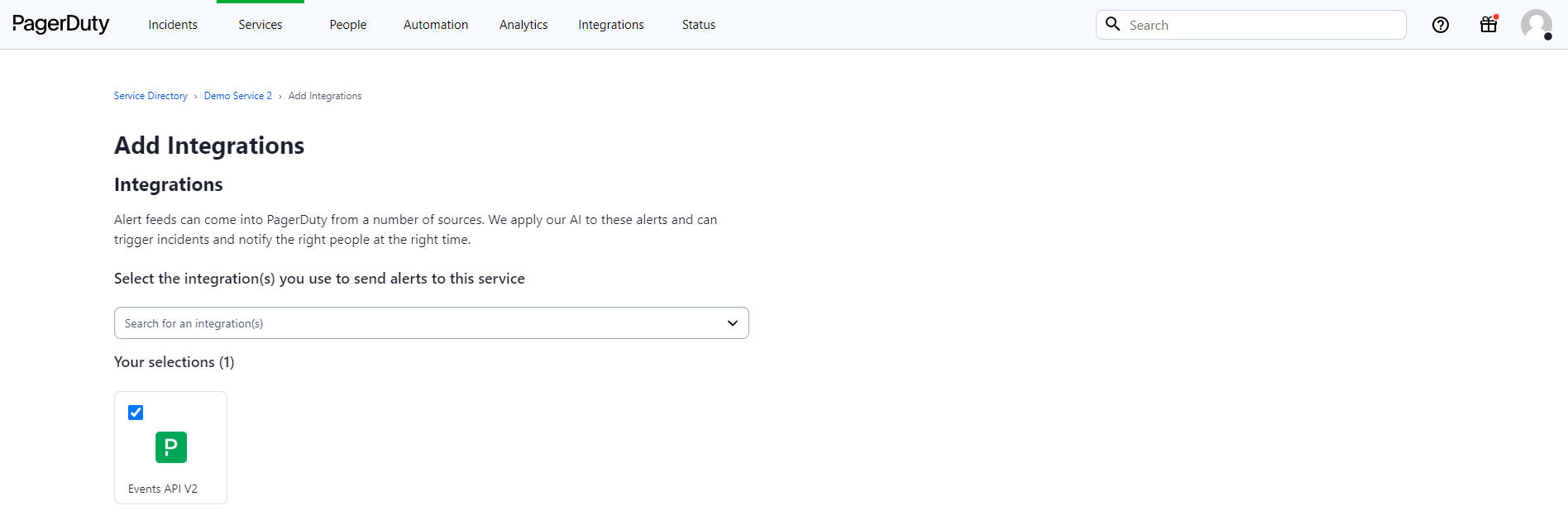
- Select Events API V2 and click the Add button.
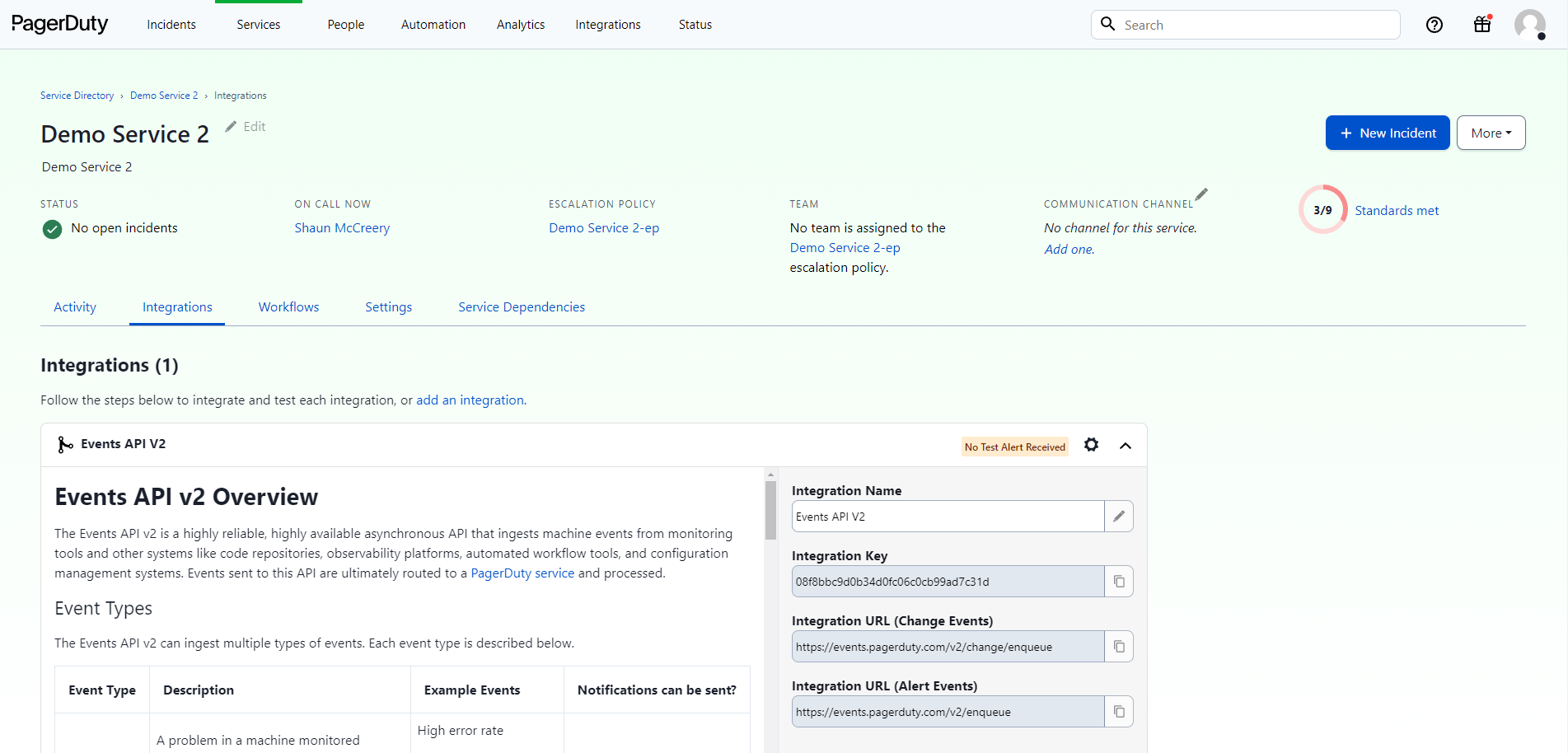
- Expand down the newly created Integration in PagerDuty and copy the Integration Key somewhere ready to add into
EndPoint Monitor at a later step. It may be worth also giving the Integration a useful name to indicate its use.
- Navigate to your EndPoint Monitor installation and login to Web Console and select Notifications from the main menu.
- Click
Add located towards the top left of the web console. - The Create Notification window should now show.
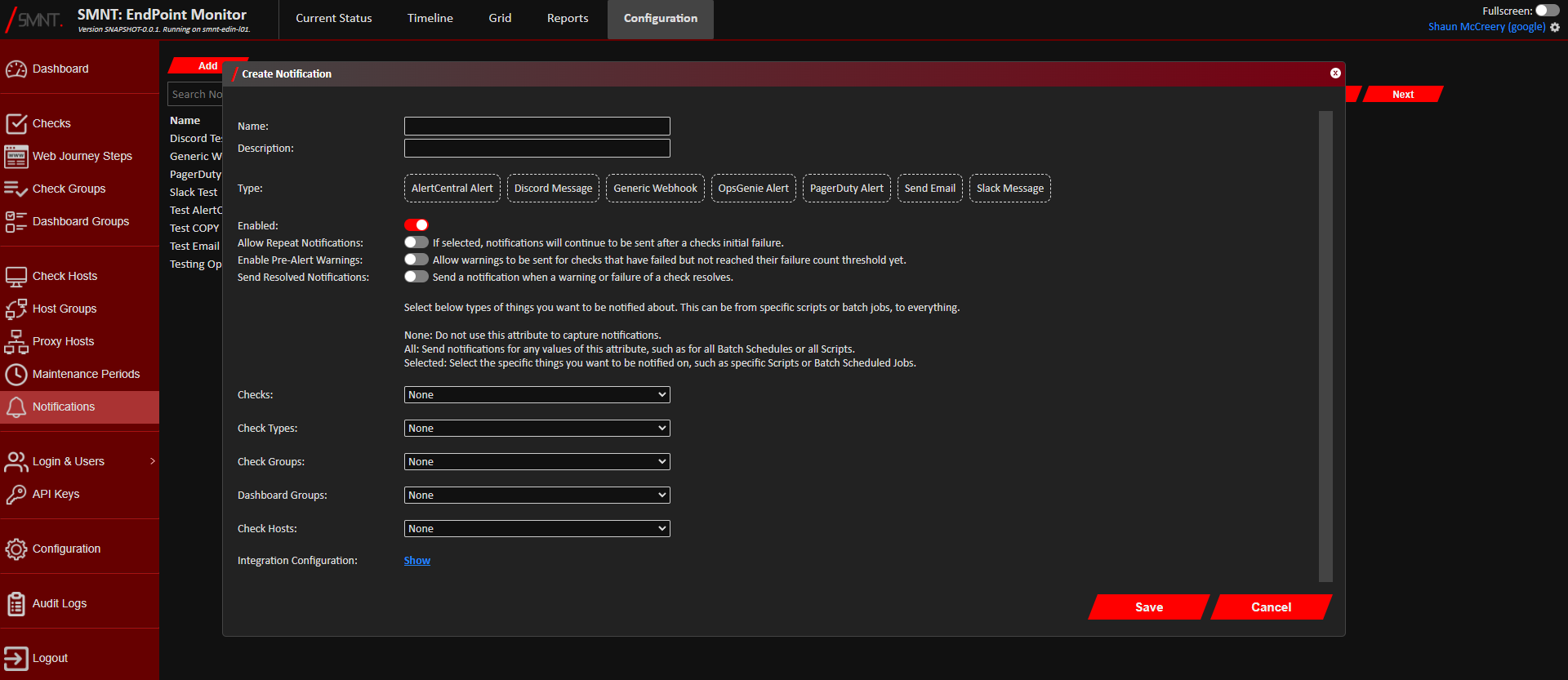
Provide a name and description, and select PagerDuty Alert as the type. - Using the Checks, Check Types, Check Groups, App Groups and Check Hosts configuration options, select what checks, if
not all, that you want to create an alert in PagerDuty.
See Configuration Definitions these configuration options.
- Click
Show next to Integration Configuration.

- Enter the Integration Key given by PagerDuty into the PagerDuty Integration Key field.
- If you want to change the defaults, you can change the severity set in PagerDuty for warnings and alerts sent to it
from EndPoint Monitor using the PagerDuty Warning Severity and PagerDuty Alert Severity options.
- Click
OK on the Integration Configuration window. - Click
Save . - You should now see confirmation that the Notification was successfully created in the bottom right notification area
in the web console.
The newly created PagerDuty notification will immediately be active any future triggered warnings and alerts that match your selection criteria should now create an alert in PagerDuty.