Managing Users
User accounts grant access to your EndPoint Monitor web console. For API access, access keys are managed in Manage API Keys.
All users are attached to a User Group, and these groups define what access a user has.
The way a user authenticates to get into the EndPoint Monitor web console is managed through Authentication Services. Users can only be assigned to one authentication service at any given time.
Adding Users
- Login to Web Console and select Login & Users then Users from the main menu.
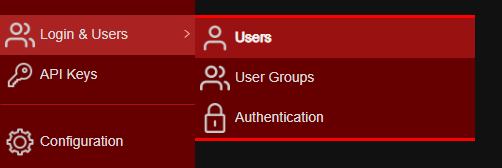
-
Click
Add . -
The Create User window should now show.
Provide the new users details as required. Definitions of the options available can be found here.
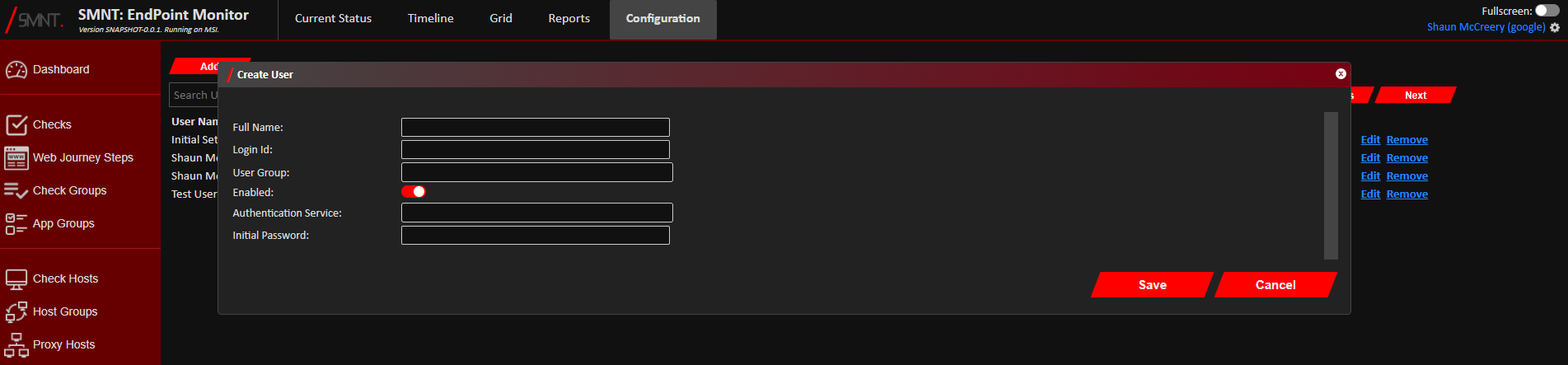
- Click
Save .
Confirmation of creation of the User should show in the bottom right corner of the web console, and the new user should be immediately available to log in.
Amending Users
- Login to Web Console and select Login & Users then Users from the main menu.
-
Click
Edit on the line of the User you want to edit. -
The Edit User window should now show.
Change the users details as required. Definitions of the options available can be found here.
Warning: Changing the Login Id of a user using a local password will require you to also reset the password.
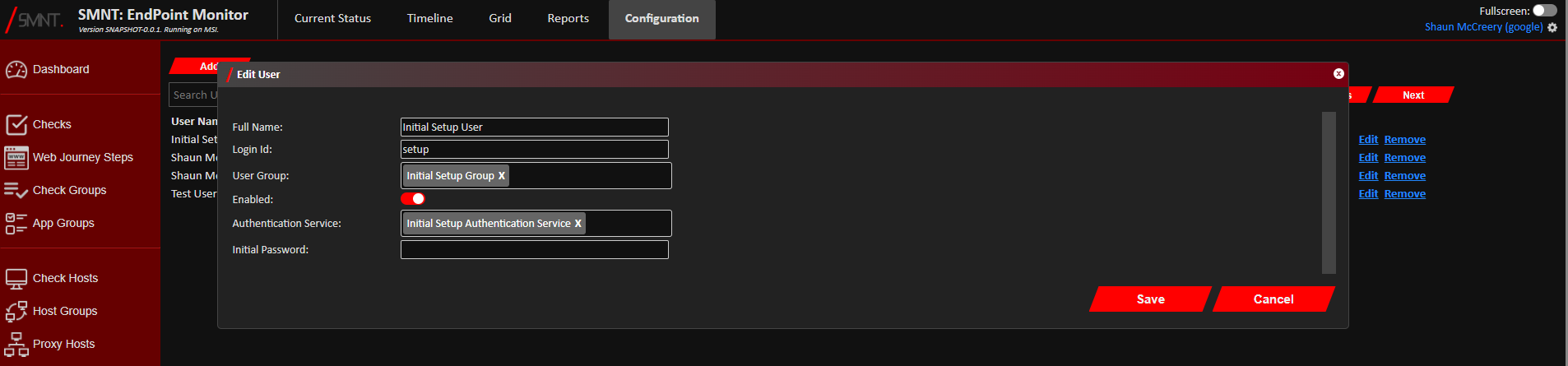
- Click
Save .
Your changes should now be saved, and you should see confirmation of the update with a notification in the bottom right corner of the web console.
Removing Users
- Login to Web Console and select Login & Users then Users from the main menu.
- Click
Remove on the line of the User you want to delete. - Click
Remove to confirm you want to delete the selected Users. - The Users should now be archived if it was not linked to any existing users, and you should see a notification
in the bottom right of the web console confirming its deletion.
User accounts will remain archived for as long as they have entries in the Audit Log. Internal housekeeping will then permanently delete the user record once no Audit Log entries refer to it.
Configuration Definitions
| Name | Description |
|---|---|
| Full Name | A descriptive name so you know who the user is. |
| Login Id | The identity the user will use to login. For LDAP logins, this must match the LDAP User Object Name field given in the Authentication Service. For Google OAuth logins this must be their primary email address associated to their Google account. |
| User Group | The User Group the user belongs to, which set the amount of access the user has to EndPoint Monitor. |
| Enabled | This can be used to temporarily disable a user account if needed. |
| Authentication Service | The Authentication Service used to allow this user to log in. |
| Initial Password | If the Authentication Service is a local password, then this is used to set a users initial password when setting up a new user, or to change their password should an existing user need it reset. |