API Overview
EndPoint Monitor provides a REST API to enable configuration of checks programmatically. This API is implemented using an OpenAPI v3 specification allowing easy integration into many common languages.
EndPoint Monitor also provides a Terraform Provider that sits on top of this API, enabling checks to be managed through configuration-as-code and for checks to be easily and quickly implemented alongside applications and infrastructure you may already manage through Terraform.
Using the API
The REST API is available on all EndPoint Monitor controllers, using the same port as the EndPoint Monitor web console.
All API paths start with /api. The API allows full control of all checks, including groups and maintenance periods.
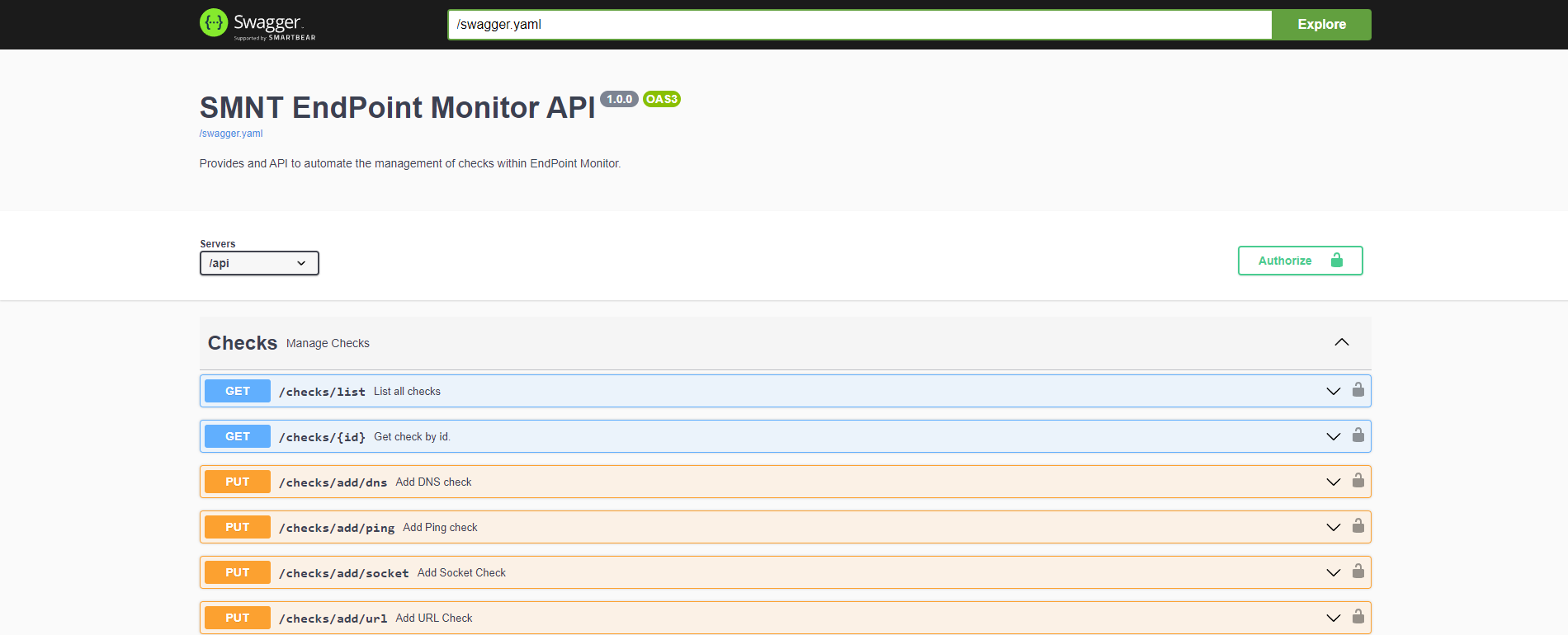
Swagger UI is included with EndPoint Monitor allowing you to explore the API structure in a visual way. It is available
under /swagger-ui.html on your EndPoint Monitor domain, e.g. https://your-endpoint-monitor-url/swagger-ui.html.
All API requests need a valid API key. If an API key is missing or not valid a 401 response will be returned with the
message Key not valid. Setting up API keys is done through the API Keys menu option in the web
console. The API key should be provided in the x-epm-auth request header.
Terraform
Instructions on using the Terraform Provider can be found on Terraform's provider documentation site.
The Terraform Provider sits on top of the REST API, meaning that it uses the same API Keys, you should however generally always issue API keys with write access enabled for use with Terraform.